Introduction
Before you begin replacing or fixing the internal components of your Azpen A909 tablet, you will need to take the back cover off. This guide demonstrates how to remove the cover.
What you need
-
-
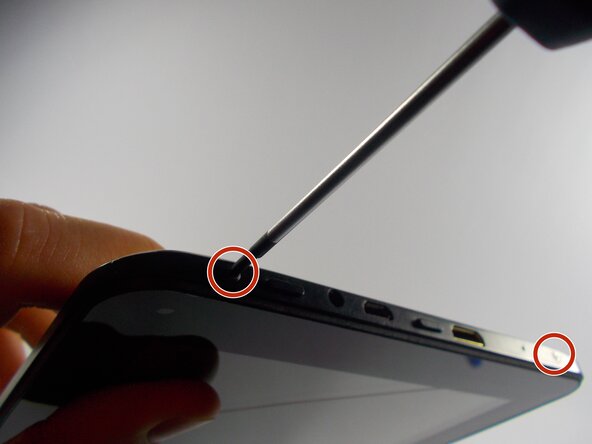
Begin by unscrewing the two 1.4 mm diameter Phillips #00 head screws at the top of the device.
-


Conclusion
To reassemble your device, follow these instructions in reverse order.



Team

UMass Dartmouth, Team 3-5, Duarte Spring 2015 Member of UMass Dartmouth, Team 3-5, Duarte Spring 2015
UMASSD-DUARTE-S15S3G5
3 Members
12 Guides authored
