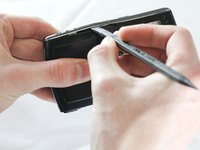
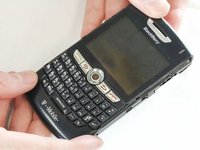
Disassembling BlackBerry 8820 Outer Casing

What you need

  1. Disassembling BlackBerry 8820 Outer Casing, Outer Casing: step 1, image 1 of 1
    • Remove the battery cover by applying pressure and sliding the silver square on the back of the phone downwards.

  2. Disassembling BlackBerry 8820 Outer Casing: step 2, image 1 of 2 Disassembling BlackBerry 8820 Outer Casing: step 2, image 2 of 2
    • Remove the battery by prying under it with your finger or a plastic opening tool.

    • Remove the four small 3/8" long screws using a 1/16" diameter torx screwdriver.

  3. Disassembling BlackBerry 8820 Outer Casing: step 3, image 1 of 2 Disassembling BlackBerry 8820 Outer Casing: step 3, image 2 of 2
    • Carefully remove the two plastic side bars using a nylon spudger.

  4. Disassembling BlackBerry 8820 Outer Casing: step 4, image 1 of 1
    • Carefully pry the back casing off with a nylon spudger.

    • There are two small clamps on each edge that need to be unhooked before the casing can come off.

  5. Disassembling BlackBerry 8820 Outer Casing: step 5, image 1 of 1
    • Pry off the front casing.

    • Be cautious of sensors and other sensitive areas of the newly exposed electronics.

Conclusion

To reassemble your device, follow these instructions in reverse order.

One other person completed this guide.

ryan

Member since: 04/12/13

44 Reputation

5 Guides authored

Team

Cal Poly, Team 13-64, Johann Spring 2013 Member of Cal Poly, Team 13-64, Johann Spring 2013

CPSU-JOHANN-S13S13G64

4 Members

7 Guides authored

0 Guide Comments

Add Comment

View Statistics:

Past 24 Hours: 0

Past 7 Days: 2

Past 30 Days: 7

All Time: 952