Introduction
Disassembling the Roku to remove thermal paste and re-apply.
What you need
-
-
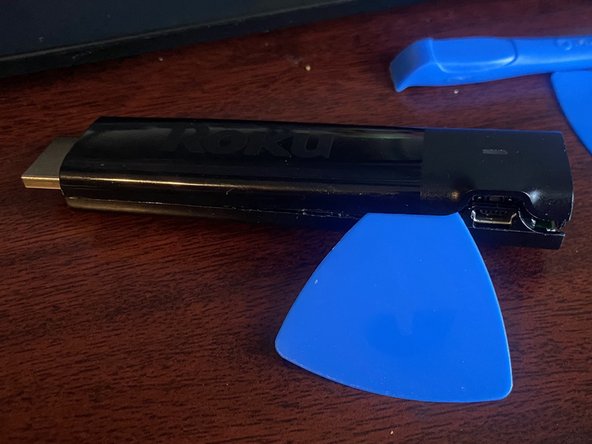
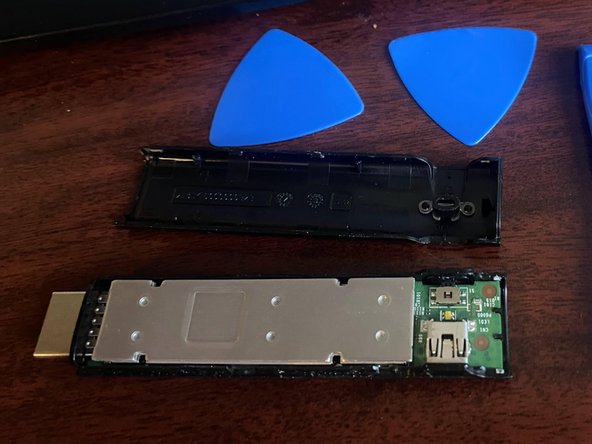
Start at the end of the Roku Streaming stick near the Micro USB port and reset button and take a guitar pick and separate the case there first. (careful as they are all very small plastic clips that are easy to break. Follow this up by using your guitar pick to slide it down each side to split the case open.
-
-
-
-
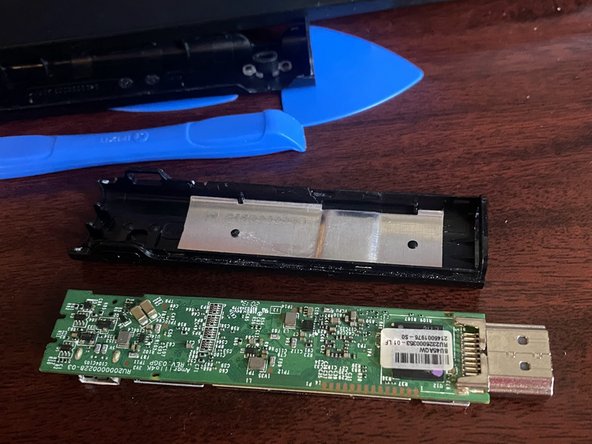
After splitting the plastic case you can use a plastic wedge or other tool to lift up from the end of the system board farthest away from the HDMI port and lift it up on an angle and slide it out of the remainder of the lower part of the case.
-
-
-
The pointed to highlighted areas had some black non electrically conductive thermal paste. Clean this off with isopropyl alcohol and re-apply non-conductive thermal paste or thermal pads back on the places. re assemble device.
-





To reassemble your device, follow these instructions in reverse order.


