Introduction
This guide will explain how to disconnect the battery from the rest of the Acer Aspire 5 A515-56-347N. This step is essential for all others, as it ensures that no power is supplied to the components being handled. This way, the battery can be unplugged without being fully removed.
Electrostatic discharge (ESD) can irreparably damage the components of your computer. While following this guide, avoid wearing static-prone clothing such as wool or flannel, or working on surfaces such as carpet. Optionally, you may use an ESD bracelet and/or mat to remain grounded throughout the repair process and minimize the risk of ESD damage.
For additional information, you may consult this device's safety guide and user manual (see attachments), or the manufacturer's support page.
What you need
-
-
Turn the laptop off, and disconnect the power cable.
-
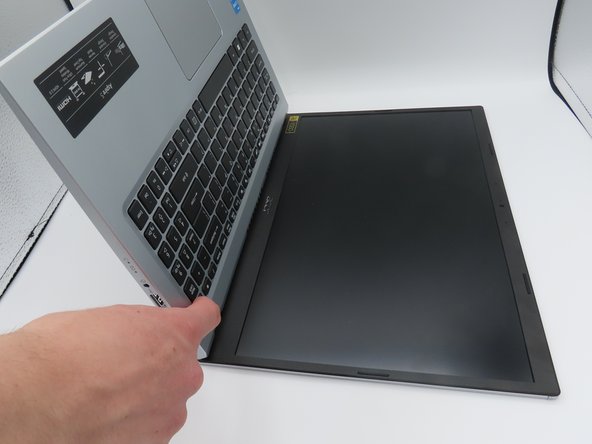
Flip the laptop upside down.
-
Remove the eleven 6.6 mm Phillips #0 screws from the bottom cover.
-
-
-
-
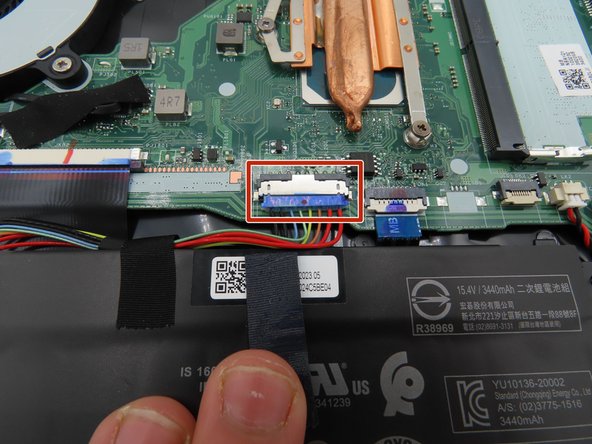
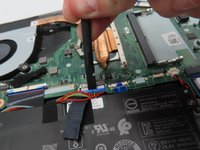
Use a plastic spudger to loosen the black tape around the large battery connector on the motherboard.
-
Once loosened, pull back on the tape to remove it from the connector.
-
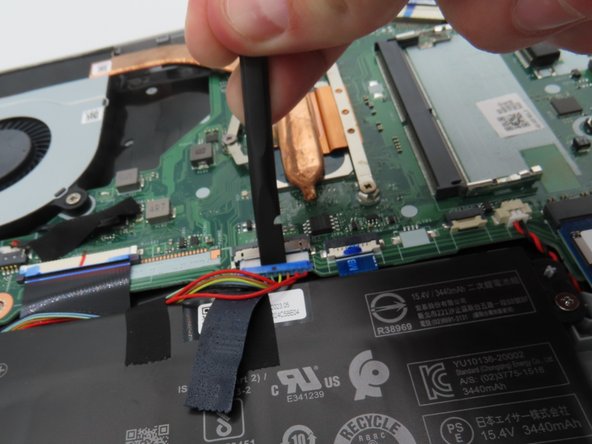
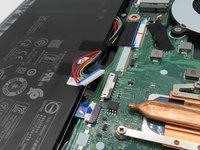
Use a plastic spudger to pull the battery connector away from the motherboard.
-



To reassemble your device, follow these instructions in reverse order.
Attached Documents



Team

University of Kentucky, Team 1-1, Martin Spring 2024 Member of University of Kentucky, Team 1-1, Martin Spring 2024
UKY-MARTIN-S24S1G1
4 Members
6 Guides authored
