LG Neon GT 365 Screen Replacement

What you need

  1. LG Neon GT 365 Screen Replacement, Screen: step 1, image 1 of 1
    • With one hand stabilizing the phone, the other pushes the rectangular button located on the back topside of the phone.

  2. LG Neon GT 365 Screen Replacement: step 2, image 1 of 1
    • With your other hand, remove the rear cover.

  3. LG Neon GT 365 Screen Replacement: step 3, image 1 of 1
    • Using the appropriate bit from your 64 bit kit unscrew the yellow circled small black screws securing the back cover and internal components.

    • A screw may be covered by the slide spring. If so, move the slide spring to the side to access the screw.

  4. LG Neon GT 365 Screen Replacement: step 4, image 1 of 2 LG Neon GT 365 Screen Replacement: step 4, image 2 of 2
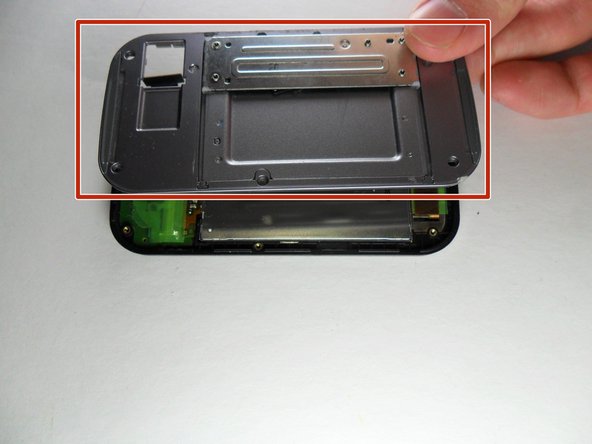
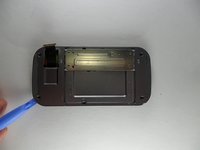
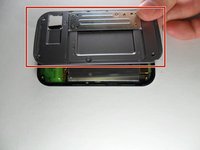
    • Use the popping iFixit opening tool to go around the seam of the phone and slowly pull off the slide panel, making sure the ribbon connector does not get caught.

  5. LG Neon GT 365 Screen Replacement: step 5, image 1 of 1
    • After removing the slide panel the back of the screen will be visible. First, remove the connector ribbon attached near the bottom of the phone. Just like disconnecting the first end of it this end is also removed by popping it off.

  6. LG Neon GT 365 Screen Replacement: step 6, image 1 of 1
    • Carefully peel the three pieces of tape of the phone. The first two pieces of tape are green located at the bottom left and bottom right of the phone.

  7. LG Neon GT 365 Screen Replacement: step 7, image 1 of 1
    • Hold the horizontal copper ribbon down with 2 fingers on each side of the tape.

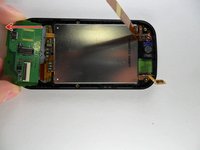
    • Lastly, carefully peel off the golden piece of tape circled, without ripping or damaging the copper ribbon and across the silver LCD.

  8. LG Neon GT 365 Screen Replacement: step 8, image 1 of 1
    • Now, disconnect the copper-colored ribbon. Pop off the ribbon and if it is still attached at the top that's ok.

  9. LG Neon GT 365 Screen Replacement: step 9, image 1 of 1
    • Go around and under the silver LCD. Then, use the popping tool to lift the silver screen.

  10. LG Neon GT 365 Screen Replacement: step 10, image 1 of 2 LG Neon GT 365 Screen Replacement: step 10, image 2 of 2
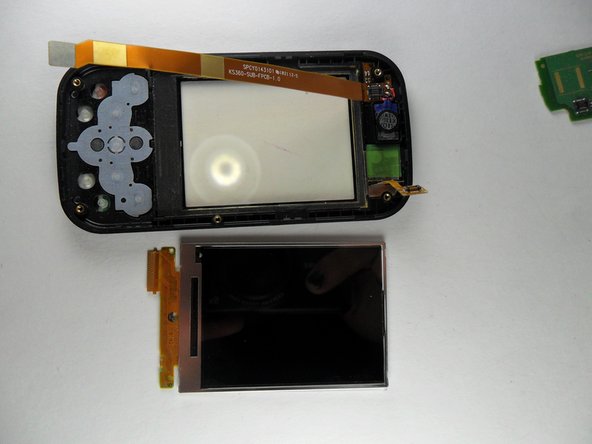
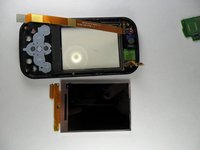
    • Once the silver LCD has been lifted up slightly slide the bottom half of the green circuit board off the phone by pulling down on it.

    • After the green circuit board is removed you will be able to pop the screen out. Grab a new screen and slide it in to replace it!

    • Follow the instructions in reverse to reassemble the phone with your new screen.

Conclusion

To reassemble your device, follow these instructions in reverse.

kristie

Member since: 10/23/13

538 Reputation

5 Guides authored

Team

UMass Dartmouth, Team 2-1, Gulbrandsen Fall 2013 Member of UMass Dartmouth, Team 2-1, Gulbrandsen Fall 2013

UMASSD-GULBRANDSEN-F13S2G1

4 Members

12 Guides authored

0 Guide Comments

Add Comment

View Statistics:

Past 24 Hours: 1

Past 7 Days: 6

Past 30 Days: 14

All Time: 1,034