Introduction
This repair guide provides step-by-step instructions for safely removing the battery from the LG VX6000.
What you need
-
-
Locate the dark gray tab on the back of the phone.
-
Push the tab towards the top of the phone to release the battery.
-
-
Tool used on this step:Tweezers$4.99
-
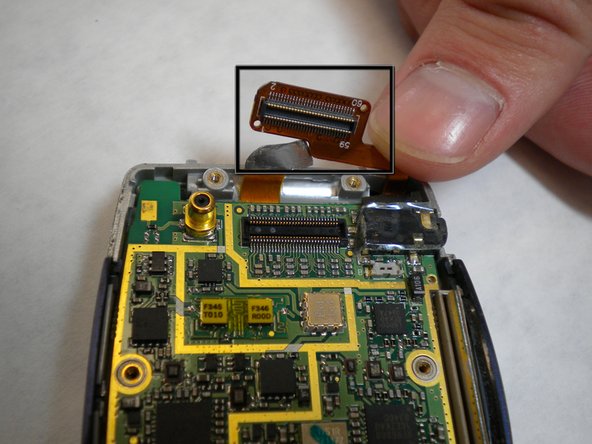
Carefully use tweezers to remove the two rubber cushions located at the top of the phone.
-
-




Conclusion
To reassemble your device, follow these instructions in reverse order.



Team

Cal Poly, Team 4-11, Forte Winter 2010 Member of Cal Poly, Team 4-11, Forte Winter 2010
CPSU-FORTE-W10S4G11
5 Members
11 Guides authored
