Introduction
If your LG Vortex is taking blurry photos, failing to focus, or the rear-facing camera app won’t even open, it’s likely that the camera module itself needs replacing. This guide will walk you through the steps to safely remove and replace the rear-facing camera on your LG Vortex. You’ll need a few small tools such as a precision screwdriver (typically a Phillips #00), a plastic spudger or opening tool, and a clean, static-free workspace. The internal components of the LG Vortex are compact and delicate, so take extra care when handling ribbon cables or connectors to avoid tearing or damaging them. Also, be sure to keep track of all screws and small parts, as losing even one can make reassembly difficult. This repair requires partial disassembly of the phone, so it’s a good idea to familiarize yourself with the back cover and internal layout beforehand. Replacing the rear-facing camera isn’t overly complicated, but it does require patience and a steady hand. By following this guide, you'll be able to remove the malfunctioning camera module and install a new one, restoring the full photo-taking capabilities of your device.
What you need
-
-
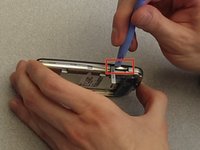
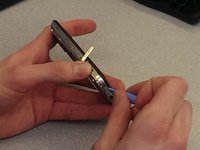
Find the two thumbnail ridges on the side and top of the phone. One is next to the micro SD slot and the other at the top of the phone
-
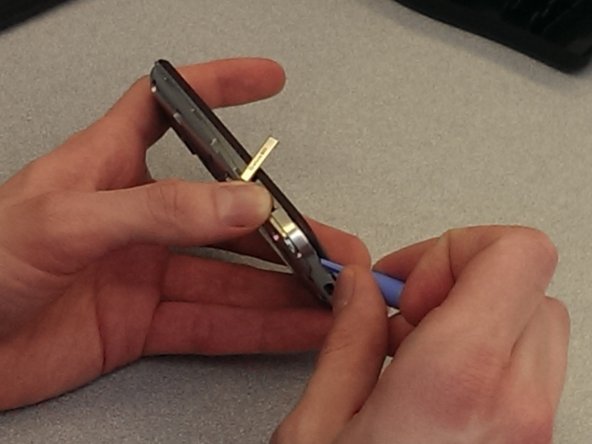
Once the ridges are located, use the blue plastic opening tool to pry the back cover away from the rest of the phone.
-
Remove the back cover and set it to the side.
-
-
-
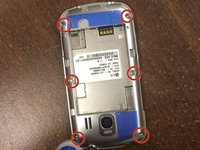
Use the precision screwdriver to remove the 6 screws along the edges of the phone.
-
There are 2 screws at the top in each corner, 2 in the middle on the sides, and 2 in the bottom corners.
-
-
-
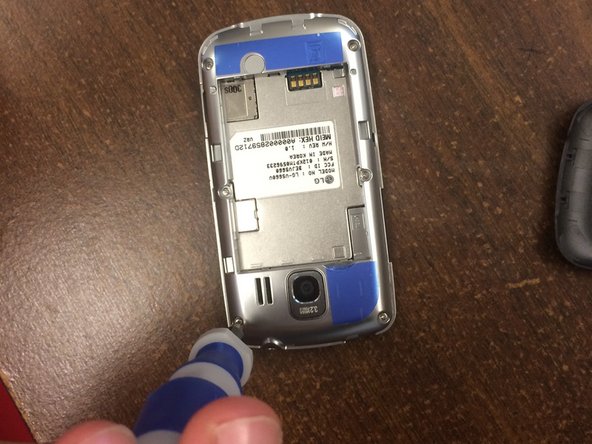
Use the blue plastic opening tool to remove the back frame from the rest of the phone.
-
Pry at the micro SD slot. Push the cover for the SD slot away from the front of the phone and pry the back frame away from the rest of the phone.
-
Pry your way around the entire phone to separate the face from the frame.
-
-
-
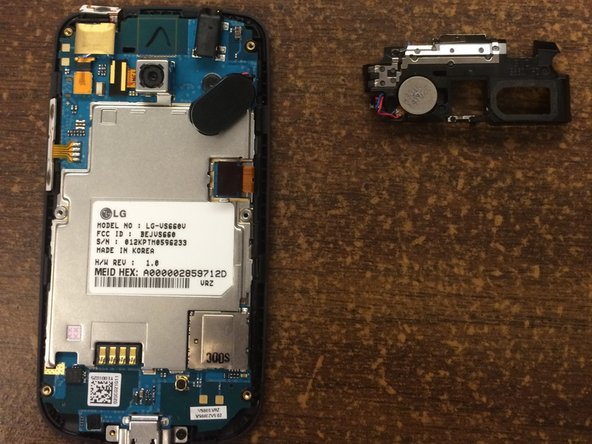
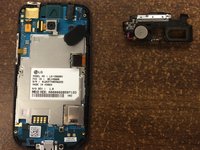
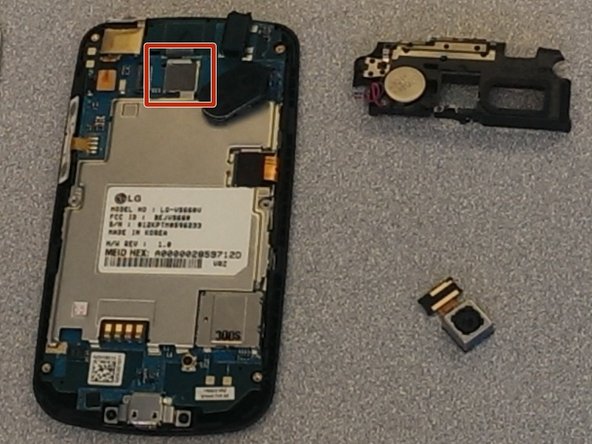
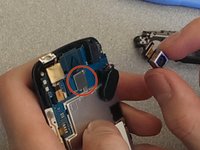
Identify the system board (the main circuit board) inside, and locate the camera module area at the top.
-
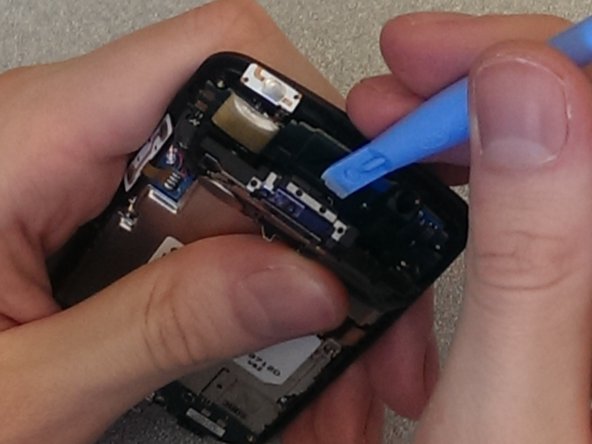
You’ll see a black plastic component around the camera that’s seated on (but is not soldered to) the system board.
-
On each side of that black plastic piece, there are 2 black tabs securing it to the board. Gently pry these tabs outward (away from the board).
-
Hold them off the board, because they may snap back if released.
-
-
-
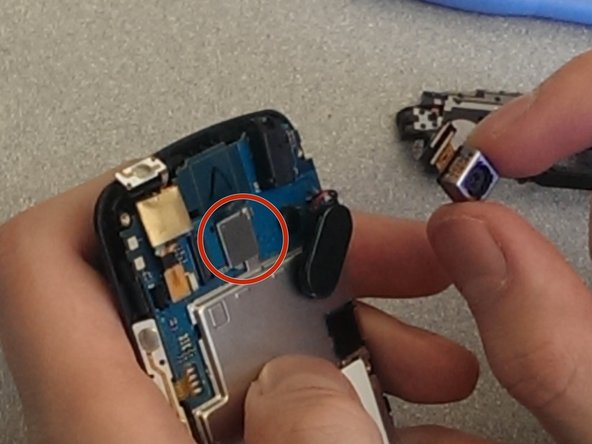
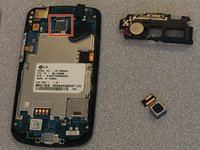
The camera module is secured by a small sticker or adhesive tab on its top.
-
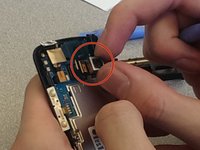
Carefully pry this piece away with your fingernail, watching out for thin wires (e.g. wires connecting the board to speakers or other parts).
-
Once the adhesive is loosened, gently lift the camera straight up and off the board.
-
Pull the camera off the system board using your fingers. Perform this step with caution.
-



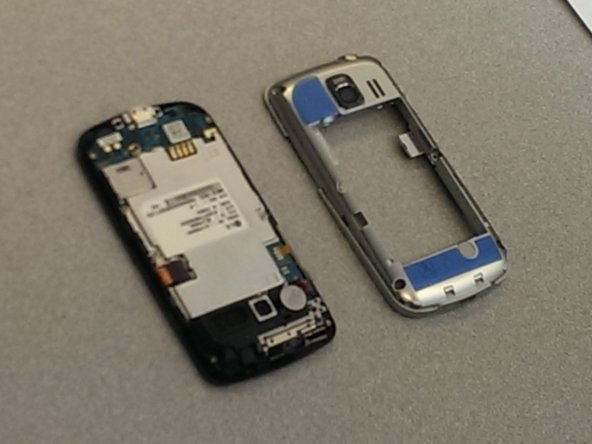





To reassemble your device, follow these instructions in reverse order.
Cancel: I did not complete this guide.
One other person completed this guide.



Team

Ohio State, Team 1-3, Buehl Spring 2014 Member of Ohio State, Team 1-3, Buehl Spring 2014
OSU-BUEHL-S14S1G3
4 Members
6 Guides authored
4 Guide Comments
First, clean the cookware with water and a mild kitchen soap to remove anything that might be on the surface. Rinse with hot water. I do uk.bestessays.com and Then coat the entire bottom of the pan in vegetable oil in this case, canola oil and turn it over onto a paper towel for 10 minutes.
Offer massages in my sanctuary or in the comfort of your own home
<a href="https://thecarriagehousesanctuary.square...">Top Massage Therapist in Westchester County NY</a>
Offer massages in my sanctuary or in the comfort of your own home
Offer massages in my sanctuary or in the comfort of your own home <a href="https://thecarriagehousesanctuary.square...">Best Massage Therapist in Westchester County NY</a>
