Introduction
Use this guide to replace the speaker on the OnePlus 6T.
Always use CAUTION when self-repairing and follow the instructions closely to avoid potential damage to the device.
What you need
-
-
Make sure the phone is powered off and placed with the back cover facing towards you on a stable surface.
-
-
Tool used on this step:Plastic Cards$2.99
-
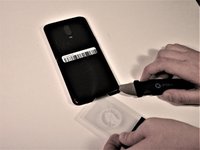
Insert a Jimmy under one of the heated corners of the phone to lift it slightly.
-
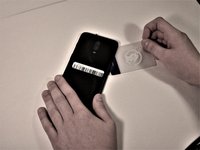
Insert a plastic card underneath the slightly lifted lip on the back cover and gently glide the card under the lifted phone casing.
-
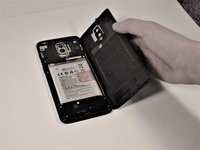
Remove the back cover from the phone.
-




To reassemble your device, follow these instructions in reverse order.
Cancel: I did not complete this guide.
7 other people completed this guide.



Team

Grand Valley State University, Team S4-G6, DeVasto Fall 2019 Member of Grand Valley State University, Team S4-G6, DeVasto Fall 2019
GVSU-DEVASTO-F19S4G6
4 Members
21 Guides authored
