Optical Drive Enclosure Faceplate

Prerequisite Only
This is a prerequisite-only guide! This guide is part of another procedure and isn’t meant to be used alone.

What you need

  1. Optical Drive Enclosure Faceplate, Optical Drive Enclosure Faceplate: step 1, image 1 of 1
    • Remove the three 3.0 mm Phillips screws from the optical bay enclosure.

  2. Optical Drive Enclosure Faceplate: step 2, image 1 of 3 Optical Drive Enclosure Faceplate: step 2, image 2 of 3 Optical Drive Enclosure Faceplate: step 2, image 3 of 3
    • Starting from the left edge, gently pull open the optical bay enclosure.

    • Continue to pull open the two halves of the enclosure until they separate.

  3. Optical Drive Enclosure Faceplate: step 3, image 1 of 1
    • Remove the two 3.0 mm Phillips screws securing the faceplate to the optical bay enclosure.

  4. Optical Drive Enclosure Faceplate: step 4, image 1 of 3 Optical Drive Enclosure Faceplate: step 4, image 2 of 3 Optical Drive Enclosure Faceplate: step 4, image 3 of 3
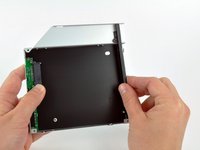
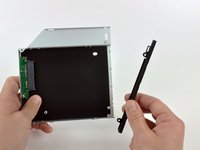
    • Lift the black plastic faceplate out of the optical bay enclosure.

    • You will no longer need the faceplate or the two Phillips screws that held it in place. Set those parts aside if you ever wish to put the faceplate back into the enclosure.

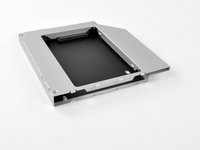
    • Reassemble the optical bay enclosure without the faceplate, reusing the original three 3.0 mm Phillips screws to keep it intact.

Conclusion

To reassemble your device, follow these instructions in reverse order.

Brittany McCrigler

Member since: 03/05/12

90,511 Reputation

142 Guides authored

Team

iFixit Member of iFixit

Staff

123 Members

23,790 Guides authored

0 Guide Comments

Add Comment

View Statistics:

Past 24 Hours: 0

Past 7 Days: 1

Past 30 Days: 2

All Time: 819