Introduction
Resetting the center value, in case the steering wheel is no longer centered correctly in game.
-
-
Connect and start the steering wheel.
-
If you are on a PC, set the rotation angle to 1080° from the Thrustmaster control panel.
-
If you are on a console, manually set the rotation angle to 1080°.
-
To do this, press the “Right D-PAD + MODE” buttons simultaneously to increase the angle of rotation. The base LED should flash 5 times.
-
-
-
-
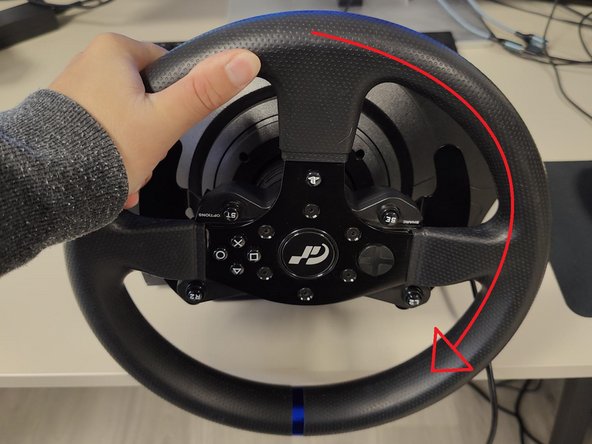
Turn the steering wheel all the way to the left, as far as it will go.
-
Turn the steering wheel all the way to the right, as far as it will go.
-
Recenter your wheel.
-
Press the buttons to recenter the steering wheel. These buttons vary depending on what model you have, but you can find out which to use here.
-
-
-
Once the central value has been reset, the LED on your base should then briefly change color, validating the procedure.
-
You can then verify whether the wheel is steering properly using the Thrustmaster Control Panel.
-




Cancel: I did not complete this guide.
One other person completed this guide.
Special thanks to these translators:
100%


These translators are helping us fix the world! Want to contribute?
Start translating ›


