Introduction
Prerequisite only! Use this guide to remove the SIM tray and SIM card on your Samsung Galaxy Note10.
Note: The photos depict the phone with various components missing, but this procedure can be done at any time during the disassembly process.
What you need
-
-
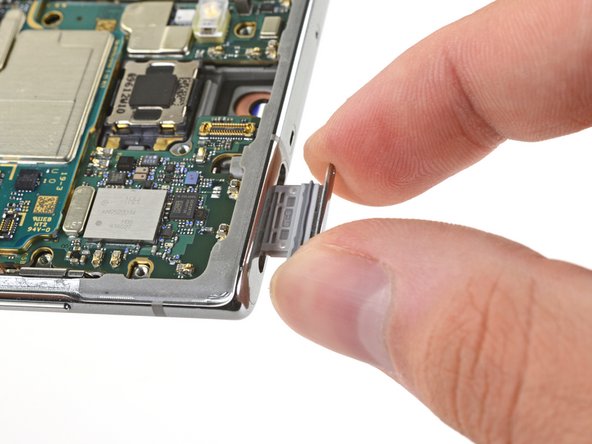
Insert a SIM eject tool, bit, or a straightened paper clip into the small hole on the SIM card tray on the top edge of the phone.
-
Press firmly to eject the tray.
-
Remove the SIM card tray.
-
-



Compare your new replacement part to the original part—you may need to transfer remaining components or remove adhesive backings from the new part before installing.
To reassemble your device, follow the above steps in reverse order.
Take your e-waste to an R2 or e-Stewards certified recycler.
Repair didn’t go as planned? Try some basic troubleshooting, or ask our Answers community for help.