Free Shipping on Domestic Orders $75+

Seagate External Hard Drive drive replacement

What you need

  1. Seagate External Hard Drive drive replacement, Open the housing: step 1, image 1 of 2 Seagate External Hard Drive drive replacement, Open the housing: step 1, image 2 of 2
    • It is best to open the case at the rear of the connectors.

    • The lid has plastic tabs (1) which are stuck in the base (2). They can be loosened by pushing the base outwzards with a flat screwdriver or similar tool.

    • The manufacturer did not intend for the case to be opened, so some damage to the case is to be expected. (3)

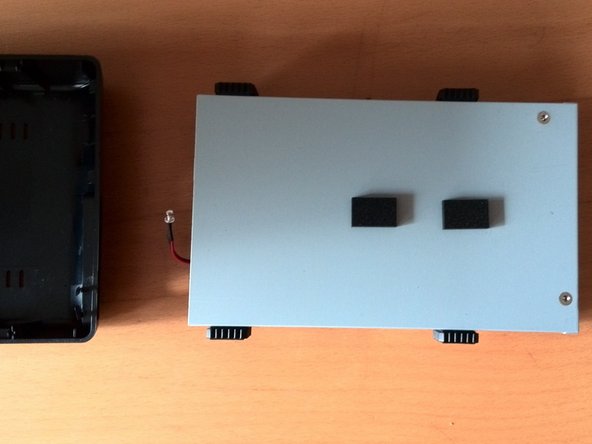
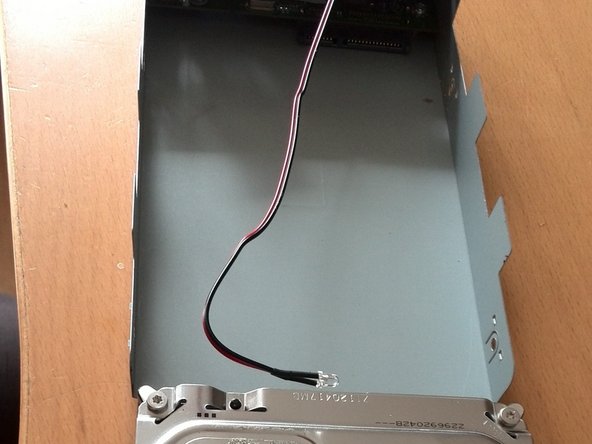
  2. Seagate External Hard Drive drive replacement, Remove the drive carriage: step 2, image 1 of 2 Seagate External Hard Drive drive replacement, Remove the drive carriage: step 2, image 2 of 2
    • The hard disk can now be lifted out of the plastic housing. It is not attached any further.

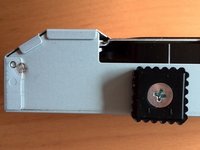
  3. Seagate External Hard Drive drive replacement, Remove the drive from the drive carriage: step 3, image 1 of 3 Seagate External Hard Drive drive replacement, Remove the drive from the drive carriage: step 3, image 2 of 3 Seagate External Hard Drive drive replacement, Remove the drive from the drive carriage: step 3, image 3 of 3
    • Unscrew the side screws.

    • Remove the permanently attached cables and stickers from the hard drive.

    • Then pull the hard drive backwards with a little force.

Conclusion

Repeat the steps in reverse order to reassemble your device.

3 other people completed this guide.

Special thanks to these translators:

de en

100%

These translators are helping us fix the world! Want to contribute?
Start translating ›

Nicola

Member since: 03/29/16

85 Reputation

1 Guide authored

0 Guide Comments

Add Comment

View Statistics:

Past 24 Hours: 6

Past 7 Days: 41

Past 30 Days: 193

All Time: 3,185