Free Shipping on Domestic Orders $75+

Sony SEL55210 Camera Lens Disassembly

What you need

  1. Sony SEL55210 Camera Lens Disassembly, Remove E-mount Bezel: step 1, image 1 of 1
    • Remove the four screws holding the lens mount on.

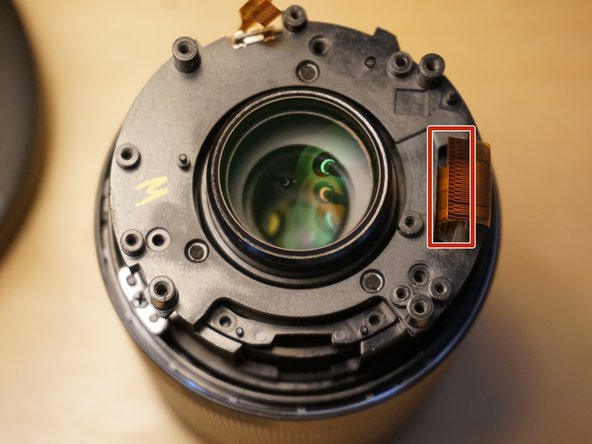
  2. Sony SEL55210 Camera Lens Disassembly, Disconnect E-mount bezel: step 2, image 1 of 1
    • Gently disconnect cable from ZIP connector.

    • iFixit connector guide.

    • Remove E-mount bezel.

    • Avoid stressing flat cables.

    • Sensitive electronics - avoid static discharge.
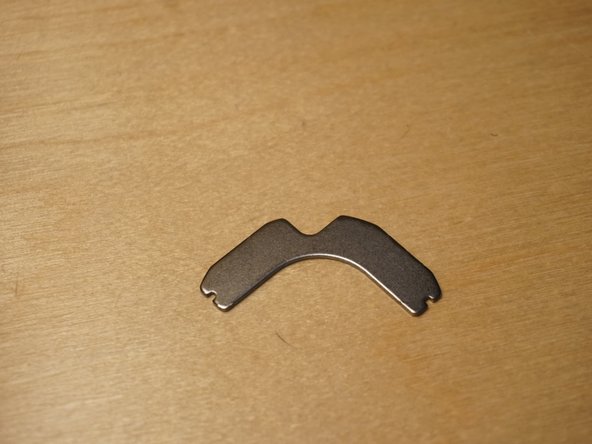
  3. Sony SEL55210 Camera Lens Disassembly, Disconnect Cables: step 3, image 1 of 1
    • Gently disconnect three cables from ZIP connector.

    • The two wider connectors open from the cable side, the thinner connector opens from the back side.

    • iFixit connector guide.

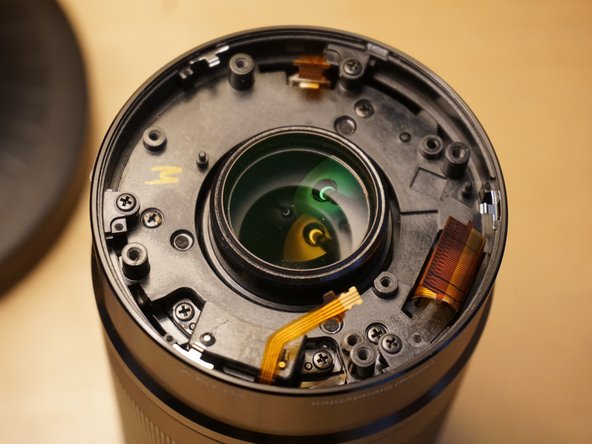
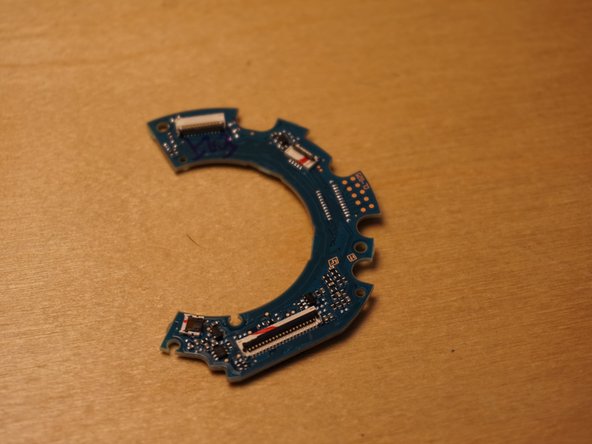
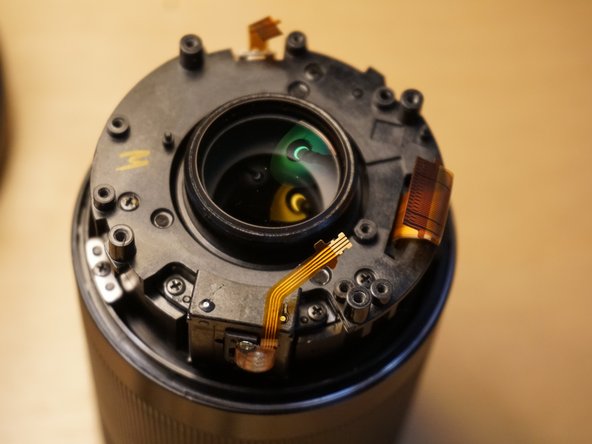
  4. Sony SEL55210 Camera Lens Disassembly, Remove PCB: step 4, image 1 of 3 Sony SEL55210 Camera Lens Disassembly, Remove PCB: step 4, image 2 of 3 Sony SEL55210 Camera Lens Disassembly, Remove PCB: step 4, image 3 of 3
    • Remove three screws

    • Remove printed circuit board.

    • Sensitive electronics - avoid static discharge.

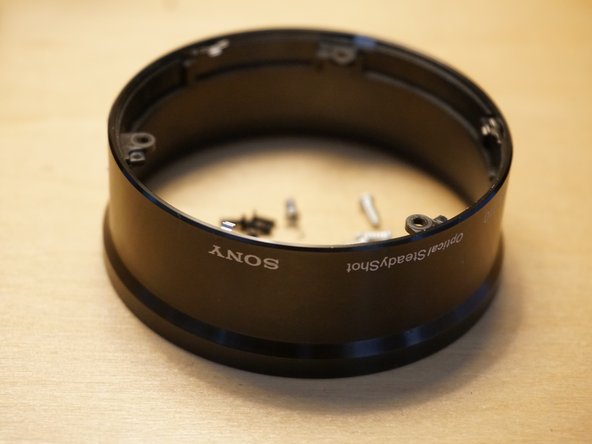
  5. Sony SEL55210 Camera Lens Disassembly, Remove Outer Bezel: step 5, image 1 of 3 Sony SEL55210 Camera Lens Disassembly, Remove Outer Bezel: step 5, image 2 of 3 Sony SEL55210 Camera Lens Disassembly, Remove Outer Bezel: step 5, image 3 of 3
    • Remove three screws from outer bezel ears.

    • Gently remove bezel.

    • Be mindful of cables when removing bezel.

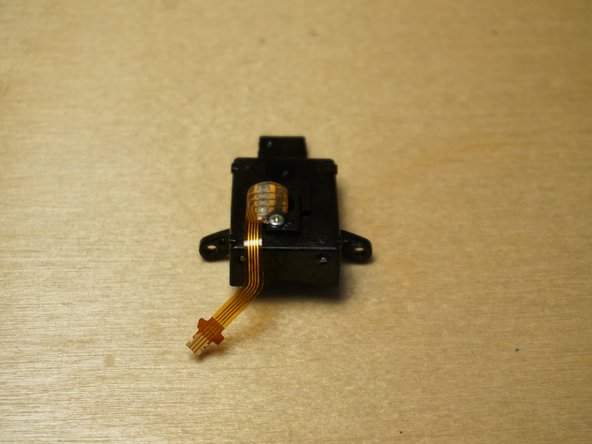
  6. Sony SEL55210 Camera Lens Disassembly, Remove Lens Park Sensor: step 6, image 1 of 3 Sony SEL55210 Camera Lens Disassembly, Remove Lens Park Sensor: step 6, image 2 of 3 Sony SEL55210 Camera Lens Disassembly, Remove Lens Park Sensor: step 6, image 3 of 3
    • Remove two screws from lens park sensor.

    • Remove lens park sensor.

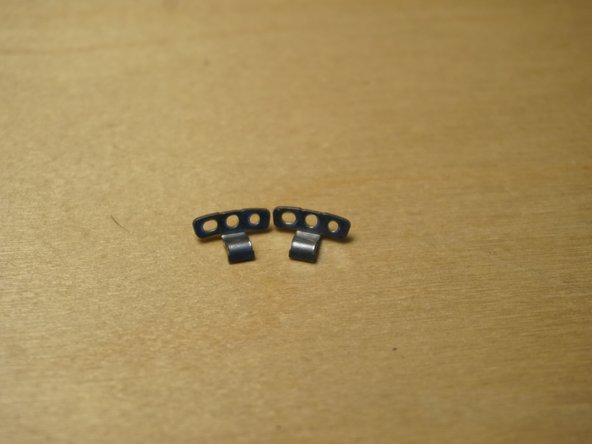
  7. Sony SEL55210 Camera Lens Disassembly, Remove Lens Brackets: step 7, image 1 of 2 Sony SEL55210 Camera Lens Disassembly, Remove Lens Brackets: step 7, image 2 of 2
    • Remove two screws from two lens brackets.

    • Remove brackets.

  8. Sony SEL55210 Camera Lens Disassembly, Loosen Telescope Sensor: step 8, image 1 of 1
    • Loosen (or remove) two telescope sensor screws.

    • Do not remove this sensor - it is connected via a flat cable to the focus ring.

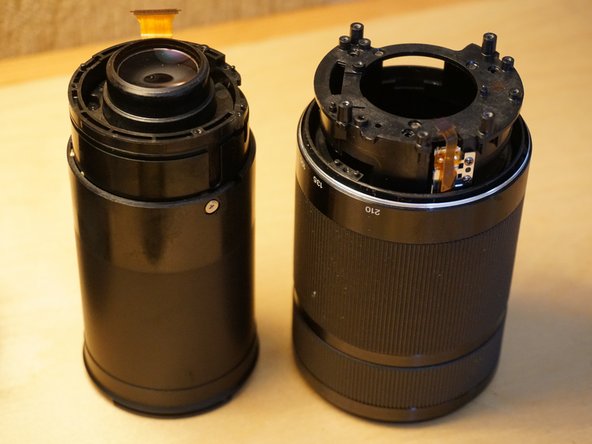
  9. Sony SEL55210 Camera Lens Disassembly, Remove External Lens Encasement: step 9, image 1 of 3 Sony SEL55210 Camera Lens Disassembly, Remove External Lens Encasement: step 9, image 2 of 3 Sony SEL55210 Camera Lens Disassembly, Remove External Lens Encasement: step 9, image 3 of 3
    • Remove three screws.

    • Pull lens out of external encasement.

    • Maneuver the telescope sensor so that it unmates from the slot in the internal lens body

    • Carefully feed the OSS/AF motor wire through the slot.

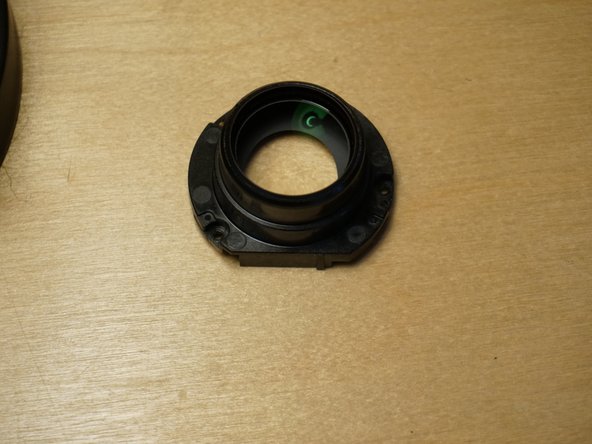
  10. Sony SEL55210 Camera Lens Disassembly, Remove Lens Element: step 10, image 1 of 2 Sony SEL55210 Camera Lens Disassembly, Remove Lens Element: step 10, image 2 of 2
    • Remove three screws

    • Remove the lens element.

  11. Sony SEL55210 Camera Lens Disassembly, Remove OSS Retainer: step 11, image 1 of 2 Sony SEL55210 Camera Lens Disassembly, Remove OSS Retainer: step 11, image 2 of 2
    • Gently pry up magnetic OSS retaining bracket.

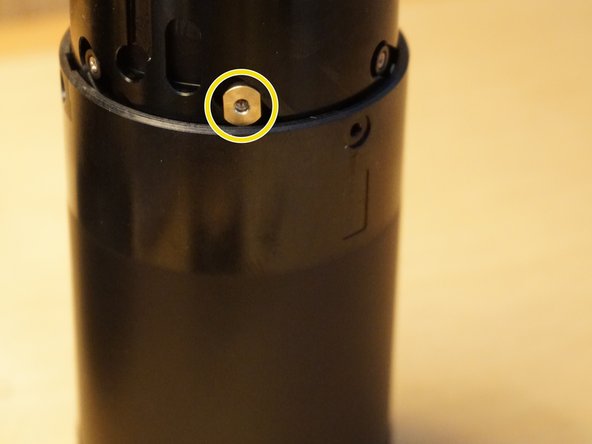
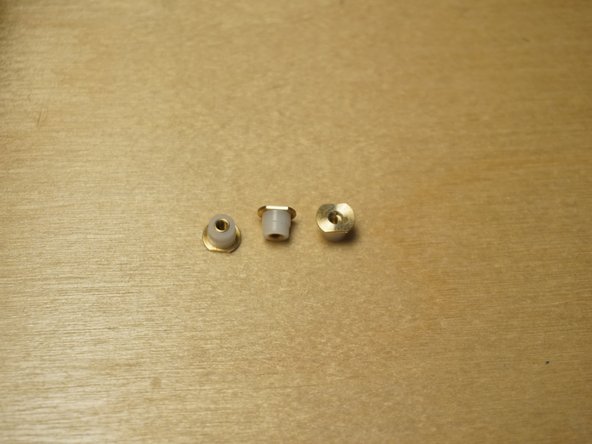
  12. Sony SEL55210 Camera Lens Disassembly, Remove Outer Lens Sleeve Fasteners: step 12, image 1 of 3 Sony SEL55210 Camera Lens Disassembly, Remove Outer Lens Sleeve Fasteners: step 12, image 2 of 3 Sony SEL55210 Camera Lens Disassembly, Remove Outer Lens Sleeve Fasteners: step 12, image 3 of 3
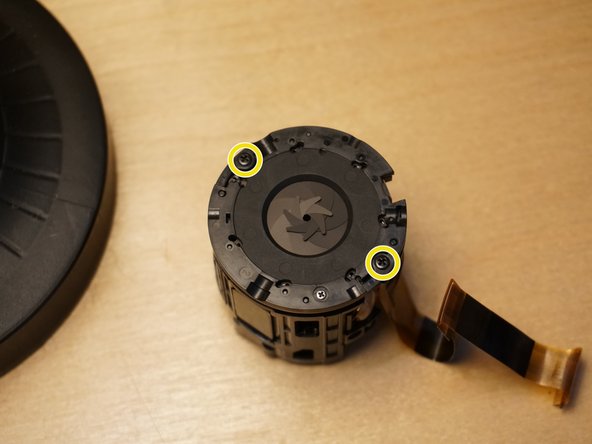
    • Remove three screws from the aperture end of the telescoping mechanism.

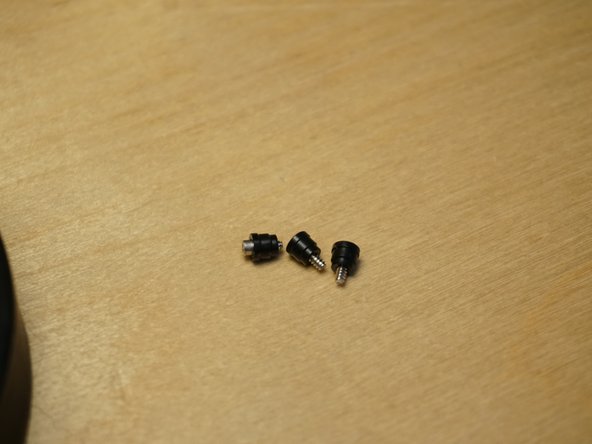
    • Lift lens to reveal and remove three brass/nylon nuts.

  13. Sony SEL55210 Camera Lens Disassembly, Remove Outer Optical Lens Sleeve: step 13, image 1 of 1
    • Remove outer optical lens sleeve.

  14. Sony SEL55210 Camera Lens Disassembly, Remove Slide Guides: step 14, image 1 of 2 Sony SEL55210 Camera Lens Disassembly, Remove Slide Guides: step 14, image 2 of 2
    • Remove three screws from the slide guides on the aperture end of the lens.

    • Remove three black nylon slide washers from the lens encasement.

  15. Sony SEL55210 Camera Lens Disassembly, Remove OSS/AF Mechanism: step 15, image 1 of 1
    • Remove the OSS/AF mechanism.

    • Gently pull the cable up and out from the lens encasement groove.

  16. Sony SEL55210 Camera Lens Disassembly, Remove Aperture Mechanism: step 16, image 1 of 3 Sony SEL55210 Camera Lens Disassembly, Remove Aperture Mechanism: step 16, image 2 of 3 Sony SEL55210 Camera Lens Disassembly, Remove Aperture Mechanism: step 16, image 3 of 3
    • Remove Kapton tape from aperture motor connector.

    • Save tape for reassembly

    • Disconnect aperture connector.

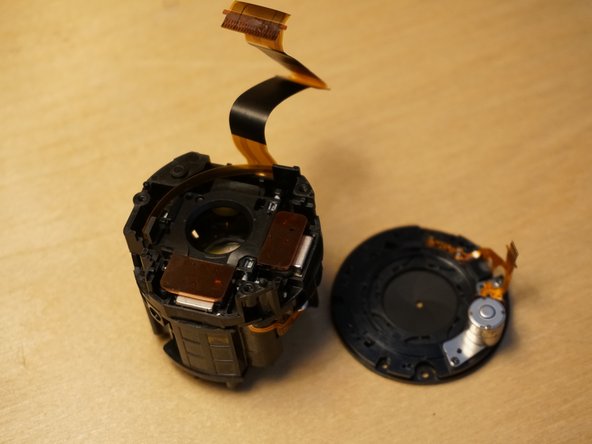
    • Remove two screws from aperture ring.

    • Remove aperture mechanism.

  17. Sony SEL55210 Camera Lens Disassembly, Separate OSS Mechanism: step 17, image 1 of 2 Sony SEL55210 Camera Lens Disassembly, Separate OSS Mechanism: step 17, image 2 of 2
    • Disconnect three cables.

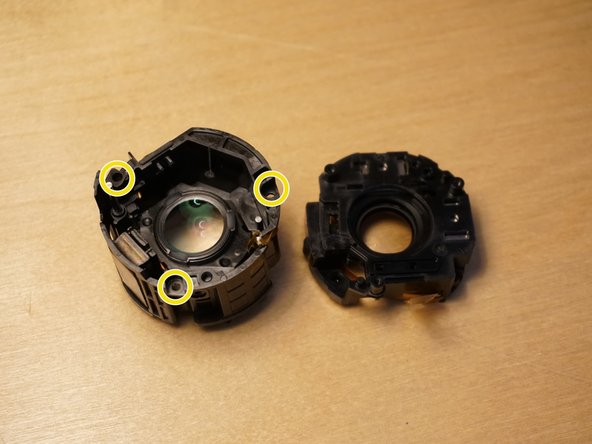
    • Remove three screws

    • Gently separate the OSS mechanism.

Conclusion

To reassemble your device, follow these instructions in reverse order.

6 other people completed this guide.

Nathan Rose

Member since: 01/17/21

452 Reputation

1 Guide authored

5 Guide Comments

why did you need to dissasemble this lens. this lens looks similar to my 55mm lens which no longer focuses and the camera doesn’t recognize the lense anymore.

darren clyde - Reply Share

I need to know maddly, how can I have a reposition of the 6 spring there are on the first lense.

Is there any way?

If not, can you tell me specificcaly the size and the strength?

Pau Roqué Robert - Reply Share

To remove the flat cables theres a little trigger (im my case in grey) that opens up inversely to the cable that let you take the cables out, I pushed mines and they´re working but don´t do it like I did, it can ruin your lens, mine is now up and running.

I did it to clean the lens but most of the dust is in the front glass witch you have to rip the little plastic that is fixing it in place, de dual lens front glass is not supposed to be open but thats the way!

This guide is great, just try to remember where all the screw came of and dived them into jars, the black ones are all the same!

good luck to everyone!

Tiago Paiva - Reply Share

Kann man die Frontlinse auch abmontieren ohne das Objektiv von der E-Mount-Seite her zu demontieren?

Thomas - Reply Share

Yes, the nameplate is able to be popped off revealing three screws underneath it. This allows you to remove the front lens element. Here's a couple of YouTube videos I found that shows you the process:

[Deutsche Übersetzung]: Ja, das Typenschild lässt sich abnehmen und gibt drei darunterliegende Schrauben frei. Dadurch kann das vordere Linsenelement entfernt werden. Hier sind ein paar YouTube-Videos, die den Vorgang zeigen:

https://www.youtube.com/watch?v=YGRoaHwt...

https://www.youtube.com/watch?v=lyyatPQR...

https://www.youtube.com/watch?v=zDXdhS92...

Zephosk - Share

Add Comment

View Statistics:

Past 24 Hours: 10

Past 7 Days: 49

Past 30 Days: 175

All Time: 6,585