

SSD

|
1 Answer 2 Score |
My MacBook Air M4 makes a clicking sound |
|
2 Answers 8 Score |
M1 MacBook screen is black but everything else working |
|
1 Answer 0 Score |
Replacing the Screen on an A3240 MacBook - Can I Buy an A3113 or A2681 |
|
5 Answers 7 Score |
MacBook Air does not turn on. Charger stays in orange |
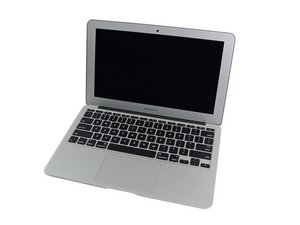
Introduced in Early 2008, the MacBook Air was initially a new, lightweight Apple netbook computer. After the Air was developed and improved, it replaced the MacBook as Apple's main line of consumer laptops in 2010.
The first generation of MacBook Air (models A1237 and A1304) is easily distinguished from the second generation (models A1370 and A1369) by a few exterior differences. On the first generation, there was a port cover on the right side of the laptop, whereas the second generation leaves all connections uncovered. In addition, the power button for the earlier models was part of the unibody case but is included as a button on the keyboard in the second generation.
The most often replaced MacBook Air parts include the battery, logic board, screen, and keyboards.
Apple has sold 11-inch, 13-inch, and 15-inch MacBook Airs.
The easiest way to tell the different models apart is to look on the underside of the laptop for the model number and EMC, which are printed on the case.

Users can find help with identifying their MacBook Air laptops here.
MacBook Air (original, Late 2008, Mid 2009) Service Source
MacBook Air (Apple M1 Chip) Overview
MacBook Air (Retina, 13-inch, 2018) Service Guide
MacBook Air (2008) Service Source
MacBook Air Getting Started Guide
MacBook Air Important Product Information Guide
MacBook Air SuperDrive Instructions (EN, JA, FR, DE, ES)
Past 24 Hours: 279
Past 7 Days: 2,307
Past 30 Days: 10,050
All Time: 2,866,905