
Free Shipping on Domestic Orders $75+

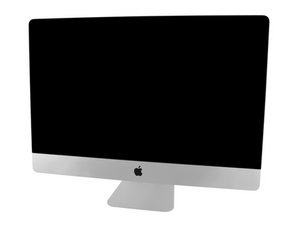
Model A1419 / Late 2012 / 2.9 & 3.2 GHz Core i5 or 3.4 GHz Core i7 Processor, ID iMac13,2

My RAM won't get accepted.

Hey,

I installed Corsair RAM inside my iMac but all I get is the 3 beeps, pause, 3 beeps and repeat. I’ve verified on the Apple Discord that it is right for the iMac. I’ve also tried Crucial before. What do I need to repair?

Answered! View the answer I have this problem too

Is this a good question?

Score 0
Add a comment

3 Answers

Chosen Solution

It’s fixed. It was a problem with the CPU socket. It’s now fully working again. I gave the board to a friend who a professional with logic boards and he fixed it in 5 minutes. The iMac is now fully working except for the missing display.

Was this answer helpful?

Score 0
Add a comment
Most Helpful Answer

Your RAM need to be PC3-12800 DDR3 running at 1600 MHz double check.

The beep code is telling us your RAM is not compatible or is defective About Mac startup tones

Update (07/25/2019)

At this point I think you need to find someone local to you you can bring your system in to let them look at it. I fear you have damaged your logic board at this point. Hopefully you only have a mis-install of the modules.

Was this answer helpful?

Score 2

5 Comments:

It is. The Crucial one was PC3L so I ordered a PC3 one which is the one that's currently installed.

by

There is no real difference between DDR3 and DDR3L in your system. The 'L is low voltage but it still will work in the older systems (backwards compatible)

by

I replaced it just to be sure it wasn’t the low voltage that’s causing the trouble but it seems that something else is causing it instead.

by

What happens when you put the old RAM back in?

by

No matter which slot or RAM stick I'm using, it won't work.

by

Add a comment

Test with one stick in just one slot. Does it post? If not, try it in another slot. If still no luck, take another one of the new RAM sticks and repeat the process. The goal is to determine if you received defective RAM, or if one of your slots is potentially damaged. You may have also ordered the incorrect RAM. What speed is the new RAM? Try with one of your old sticks and one of your new sticks as well.

Was this answer helpful?

Score 1
Add a comment

Add your answer

Can will be eternally grateful.
View Statistics:

Past 24 Hours: 1

Past 7 Days: 1

Past 30 Days: 9

All Time: 163
