
 1
1 Confirmation of failed PSU please
Hi
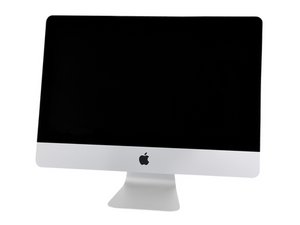
My friend's 2013 21.5" iMac recently stopped working suddenly and caused the fuse to blow for the ring main circuit it was on in the house.
We went through the usual checks to reset stuff but to no avail.
I opened it up this morning, taking great care with the screen, and the LED light 1 (indicating that there is a trickle voltage from the power supply detected by the main logic board) was not on.
I couldn't see anything obvious on the PSU to removed the 4 screws and had a look behind it but again couldn't see anything to indicate a component or connection had burnt out. A bit more digging on some forums indicated that this a blown PSU.
When cleaning the glue strips from the edge of the screen I noticed a small blackened area on the aluminium back of the screen, about 13cm in from the left edge and 1.5 cm from the bottom, which is right over the left end of the PSU. I could not see anything on any of the solder joints or protruding component ends on the PSU to indicate where a short occurred.
So, my questions are:
# Does this definitely indicate a faulty PSU that needs replacing
# If a short across from the PSU to the rear plate of the screen occurred, could this have damaged the screen also.
Thanks
Steve Wakley
Bristol, UK


Is this a good question?

 339
339  975
975 


3 Comments
Can you post a set of pictures of the blacked area on the display (tight) and a second showing its location (wide).
Looking at the power supplies PCB take a picture of that surface which faces the displays damage. Adding images to an existing question
by DanJ
You are likely hitting the limits of our internet connection. The upstream pathway is much slower than your downstream (asymmetric)
by DanJ
New power supply worked a treat. Fiddly to fit in behind the flap, but got there in the end. Luckily screen not damaged by the short.
I believe that it was the failed PSU that resulted in the short and so the popped fuse for the ringmain it was on, as nothing else in the house affected and main fuse didn’t pop.
by Steve