
Free Shipping on Domestic Orders $75+

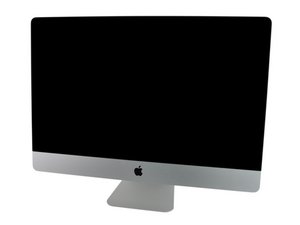
Model A1312 / Mid 2010 / 3.2 GHz Core i3 or 2.8 & 3.6 GHz Core i5 or 2.93 GHz Core i7, ID iMac11,3

After installing the SSD?

Hi after I’ve installed my SSD in the optical bay how do I go about making the optical (SSD) the targeted drive with HDD storing what can't fit on SSD (250GB)

The main drive has two partitions High Sierra and Catalina which is all backed up on my time machine.

Answer this question I have this problem too

Is this a good question?

Score 0
Add a comment

1 Answer

Most Helpful Answer

You need to install macOS onto the drive. Download the OS installer from here: How to upgrade to macOS Sierra Jump down to Set 4 locate the blue URL link Download macOS Sierra to get the OS installer. You’ll need to setup a bootable OS installer on a thumb drive How to create a bootable macOS Sierra installer drive. During the OS install it will alter the boot drive to the SSD you just installed the OS onto.

I really don’t recommend forcing Catalina onto your system as its not the best OS for it. The best is sticking with Sierra 10.12.x as well as using HFS+.

APFS is great if you have a PCIe/NVMe drive! Older SATA drives (HDD or SSD) just don’t run well with APFS. To add to this Catalina doesn’t support older 32bit apps and frankly its still buggy!

Was this answer helpful?

Score 2
Add a comment

Add your answer

Dawoud Ali will be eternally grateful.
View Statistics:

Past 24 Hours: 0

Past 7 Days: 0

Past 30 Days: 5

All Time: 89
