Free Shipping on Domestic Orders $75+

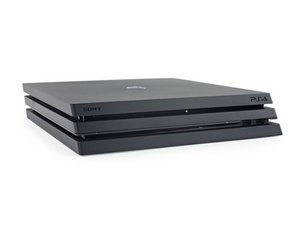
Released November 2016, the PS4 Pro features upgraded hardware for 4K gaming and improved PSVR performance.

PS4 Pro fan problem

Hello everyone

I just disassembled my ps4 pro for thermal paste replacement and dust cleaning, but the problem is that after I Reassembled it , the fan speed doesn't change and is constantly on lowest possible RPM which causes overheating problems and makes the console turn off after 30 or so minutes

I would appreciate any help,tips or tricks to what causes this problem and how to fix it.

Thanks

Answered! View the answer I have this problem too

Is this a good question?

Score 0
Add a comment

1 Answer

Chosen Solution

Couple of things to check:

  • Make sure all 8 thermal pads are present on the VRAM chips that are behind the PS4’s logic board.
  • The clamp is not installed with the 4 screw holes facing up, they should be facing down. The clamp does have that plastic thing under it as well to make sure metal is not touching the board.

Is it the long triple beep overheat warning then shut off?

Was this answer helpful?

Score 0

4 Comments:

my thermal pads were kinda torn apart when I disassembled the console , so I replaced them with thermal paste, but the clamp is installed correctly.

no , no long triple beep , it just shows the too hot hot message and if I don't turn it off , it shuts the console down while showing the message.

can this happen because of replacing the pads with paste?

by

Yes, the paste doesn't transfer heat well with thermal contacts that have quite a gap between each other. You'll need to replace those thermal pads.

by

@benjamen50 can I put the pads on top of the paste or do I have to remove the paste ?

by

The black chips should not have any thermal paste on them they should have thermal pads on them only.

by

Add a comment

Add your answer

Amin Taleb will be eternally grateful.
View Statistics:

Past 24 Hours: 0

Past 7 Days: 4

Past 30 Days: 27

All Time: 1,351