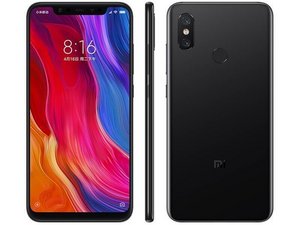
The game crashes on Android
Minecraft PE does not start on my Android device Xiaomi Mi 8 , crashes after launch!
Is this a good question?
Score
0

Rep: 1
 1
1
Minecraft PE does not start on my Android device Xiaomi Mi 8 , crashes after launch!
Is this a good question?

Rep: 43
2
 1
1
Try uninstalling and reinstalling the game.
or try installing Minecraft again from https://mcpecube.com or Google Play.
Was this answer helpful?

Well, i guess that is the best solution for any game on a mobile phone, in case it doesn't work, just go on and reinstall it. However, there must be a real issue why the game crashes. I got the same issue with a lot of games, i thouht it is a problem that is only face by the iphones. However it is not like that. i remember, i been also playing minecraft on my iphone x, and as soon as i was entering my server, the game was crashing everysingle time. As soon as i got a proper server hosting in https://ggservers.com the issue was solved. So, in case you playing online, the issue might also be with the servers.
Was this answer helpful?
For Minecraft you should use the mod version which will be better on Android https://gamedva.com/minecraft-pe-mod
Was this answer helpful?

Try to search for the version you need here, all apk files are working on this site https://minecraft-mcpe.com
Was this answer helpful?

Creo que deberías descargar Minecraft mod apk en ModCombo. ModCombo es el mejor lugar para descargar juegos y aplicaciones mod apk para Android.
Was this answer helpful?

You can use modded apk for this it will fix crash issue try it https://modokay.com/minecraft/
Was this answer helpful?

To address the issue of Minecraft PE not starting and crashing on your Xiaomi Mi 8 Android device, you can try using this mod from https://apkkingo.com/minecraft-jenny-mod.... It may help resolve the crash issue.
Was this answer helpful?

Thanks for solutions.
Was this answer helpful?
We have Vivo v23 and I have played Minecraft on our phones and never faced any issues.
We have downloaded the game from (https://apktoly.com/minecraft-mod-apk/)
Past 24 Hours: 1
Past 7 Days: 1
Past 30 Days: 3
All Time: 551


1 Comment
It sounds frustrating that Minecraft PE is crashing on your Xiaomi Mi 8. Here are a few quick fixes you might try:
Restart Your Device: Sometimes, simply restarting your device can resolve issues by clearing temporary files and freeing up system resources.
Update the Game: Make sure Minecraft PE is updated to the latest version. Check for updates in the Google Play Store.
Clear Cache and Data: Go to Settings > Apps > Minecraft > Storage, and then tap on "Clear Cache" and "Clear Data." Be aware that clearing data will reset the game settings.
Reinstall the Game: Uninstall Minecraft PE and then reinstall it from the Google Play Store. This can fix corrupted game files.
Check Device Compatibility: Ensure that your device's software is up to date and that it meets the game's requirements.
by Bahot