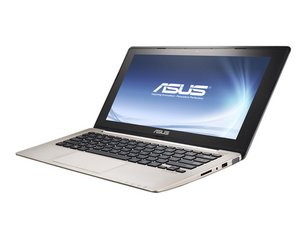
Repair information for the Asus VivoBook laptop series.

How do I replace a touchpad

Hello,

My ASUS VivoBook touchpad with numpad has gosttouch and doesnt work from time to time. I tried to sent it back to asus for repairs but it didn’t work, so now ik want to do it myself. Is it possible to repclace your touchpad or should i go to a professional?

Answered! View the answer I have this problem too

Is this a good question?

Score 0
2 Comments

Hi @lafracture,

What is the full model number of the laptop?

by

Hi @jayeff

VivoBook S14 K433JQ

Is this what you mean?

by

Add a comment

1 Answer

Chosen Solution

Hi @lafracture

Yes.

Knowing the model number means that you can source the correct replacement part(s).

Here’s a link to just one supplier of parts for your model.

From the parts list (click on the Touchpad category, left side), you can find out the possible cost of the part and also that the Asus part number for the Touchpad is 90NB0PZ4-R90021. (click on See details and then on Go to the product sheet in the Touchpad part entry box)

You can search online using this number only to find other suppliers that may suit you better. Don’t be surprised when you do this that the same Touchpad is being used in different models. As long as the part number matches it is OK.

I couldn’t find a keyboard replacement guide for your model (helps as the Touchpad is also located there) but found this video which shows how to open a Vivobook S14 series laptop and this video that shows what is involved with replacing a keyboard (which allows access to the Touchpad) in Asus Vivobook laptops in general.

Basically you have to nearly completely dis-assemble the laptop to do it.

Hopefully this will help you to decide whether to try it yourself or not.

Was this answer helpful?

Score 2
Add a comment

Add your answer

Charlie De Breuck will be eternally grateful.
View Statistics:

Past 24 Hours: 1

Past 7 Days: 10

Past 30 Days: 43

All Time: 1,736
