
The Basics
- To restart your Toothbrush, Press and hold the power button for 10 seconds. If your Toothbrush has external LEDs, they should blink before turning off. The process of resetting your Toothbrush may vary from model to model.
- Ensure your Toothbrush is fully charged: Depending on the specific model of the Electric Toothbrush, you might need to charge them longer than others. Depending on the brush you use, you would want to keep it on the charger for around 3 - 24 hours to charge fully.
- Check the Power Source: Ensure that your power outlet is working correctly. You can test it by plugging it into another device to see if it powers on.
- Clean the Charging Contacts: Dirt, grime, or toothpaste residue can accumulate on the charging contacts, preventing the Toothbrush from charging. Wipe the charging contacts on Toothbrush and the charger with a clean, dry cloth. If there’s stubborn residue, use a slightly damp cloth or a cotton swab with rubbing alcohol to clean them.
Causes
Solution: Update your Toothbrushes Software
If your Toothbrush lacks smart capabilities, please move on to the next section. Otherwise, if your Toothbrush does have smart abilities, like the Oral B iO, a buggy software update can affect how it charges.
- Update your Toothbrush: Keeping your software updated can improve battery performance and help resolve any charging-related issues.
Solution: Replace the power supply.
A faulty power supply or adapter can prevent your Toothbrush from receiving the electricity needed to turn on.
- Inspect the power cable for any visible damage. Make sure the contact points are not dirty or damaged.
- Try a new or known-good charger. If your Toothbrush charges, it is likely an issue with the charger.
Solution: Clean Affected Components
Unfortunately, no electronic equipment, including electric toothbrushes, is fully waterproof. If you've had your Toothbrush for a long time, then it is likely that water has worked its way into the inside of your Electric Toothbrush.
- Clean affected parts: To displace any remaining liquid around or under logic board components, submerge them completely in a suitably sized container filled with isopropyl alcohol. Ideally, use a 90% or higher concentration. Additional information can be found on our Electronics Water Damage Wiki.
Solution: Inspect and Replace the Battery
A faulty or old battery can prevent your Toothbrush from charging.
- Replace the Battery: If the battery does not charge or hold a charge even after trying the above steps, it may need to be replaced. You must follow the instructions for your specific brush, or try looking at our Philips Sonicare FlexCare Battery Replacement Guide to get started.

- 15 - 30 minutesDifficult
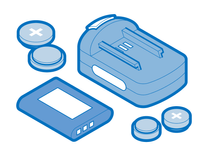
Find compatible replacement parts for your Electric Toothbrush. All parts and fix kits are backed by the iFixit Quality Guarantee.
Solution: Replace the Motherboard
Some more advanced Toothbrushes will have a motherboard that connects the components. If your Toothbrush is still not charging after following all the troubleshooting steps above, it's safe to say that clues point toward a motherboard problem.
- Perform a thorough visual inspection of the circuit boards for any signs of burns or damaged components. If you observe any visible damage, such as burns or parts that appear to be physically damaged, the board likely needs to be replaced.
You're seeing solutions for Electric Toothbrush. Select your model to find parts for your device.

1 common problem
View all